Bloom Buddy
An interactive plant pot that translates soil moisture and light into expressive animations, encouraging attention rather than automating care.
- Role
- Solo — concept, electronics, CAD, code
- Context
- KAIST exchange semester, Interactive Product Design
- Timeline
- Exchange semester, 2026
- Tools
- Arduino Nano, Rhino 3D, 3D printing, OLED
What it is
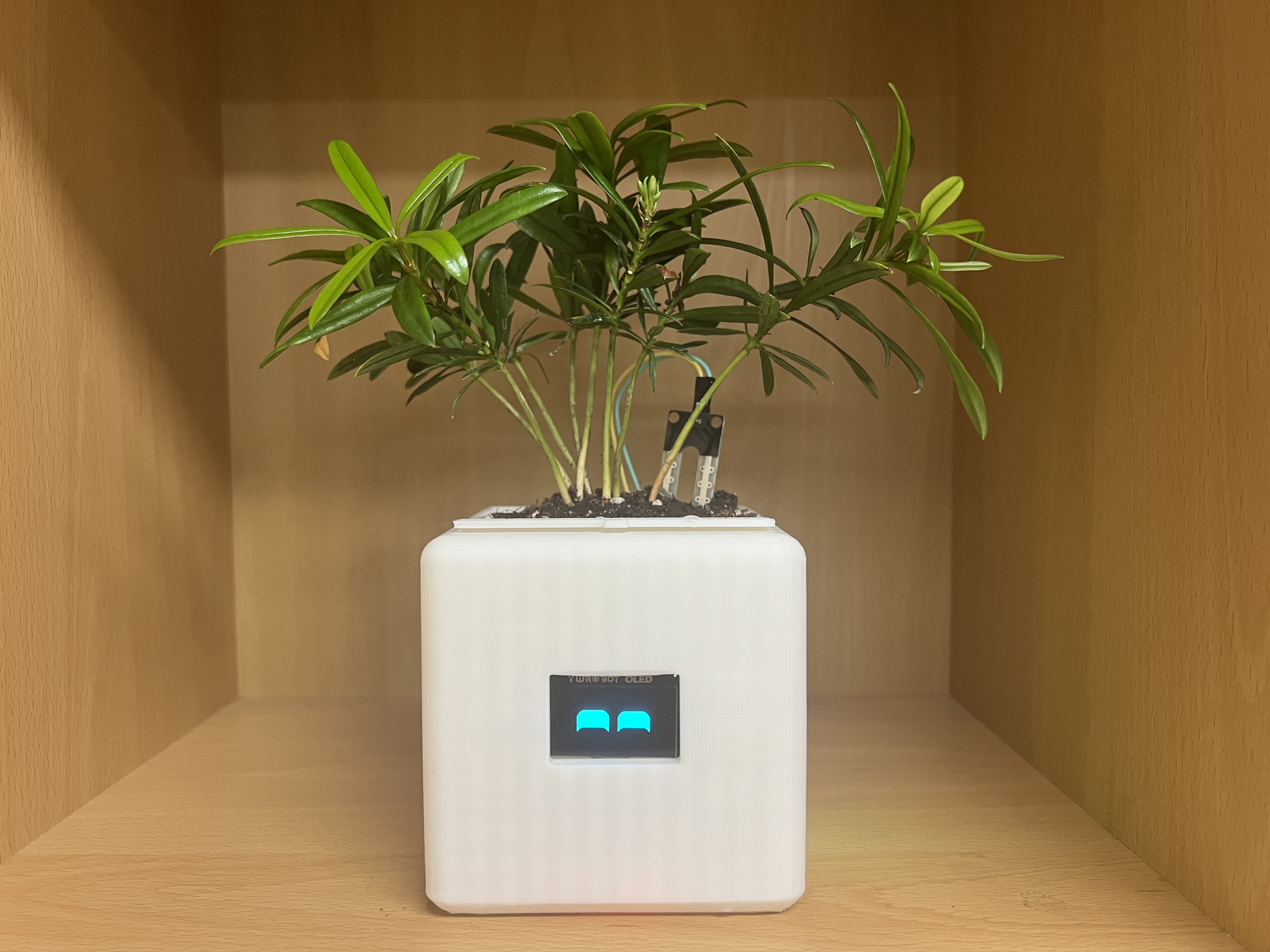
Bloom Buddy is an interactive smart plant pot that supports plant care by translating soil moisture and light conditions into expressive digital emotions on an OLED screen. Rather than automating care, it helps people understand their plants through playful interaction and visual feedback — making care more engaging, approachable, and fun.
Inspiration
It came out of my own experience with houseplants. I love what plants bring to an indoor space, but after a few weeks I often find it hard to monitor their needs consistently. Instead of a fully automated solution, I wanted to explore how design could make people more attentive and emotionally invested in caring for their plants.
The project was also shaped by future housing trends — single-person households, remote work, and a growing desire to bring nature indoors. Bloom Buddy aims to turn plant care from a maintenance task into a relationship.
How it works
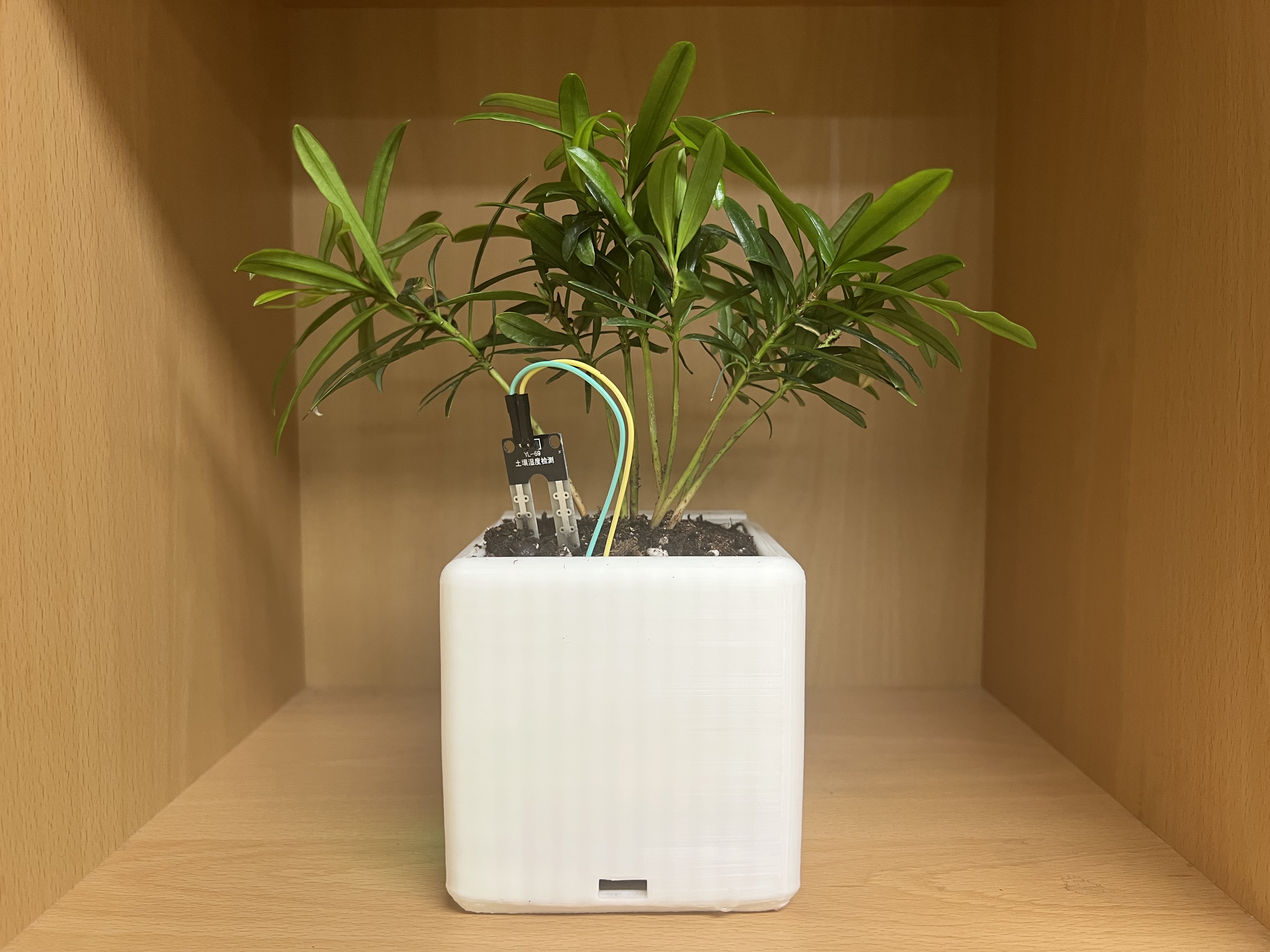
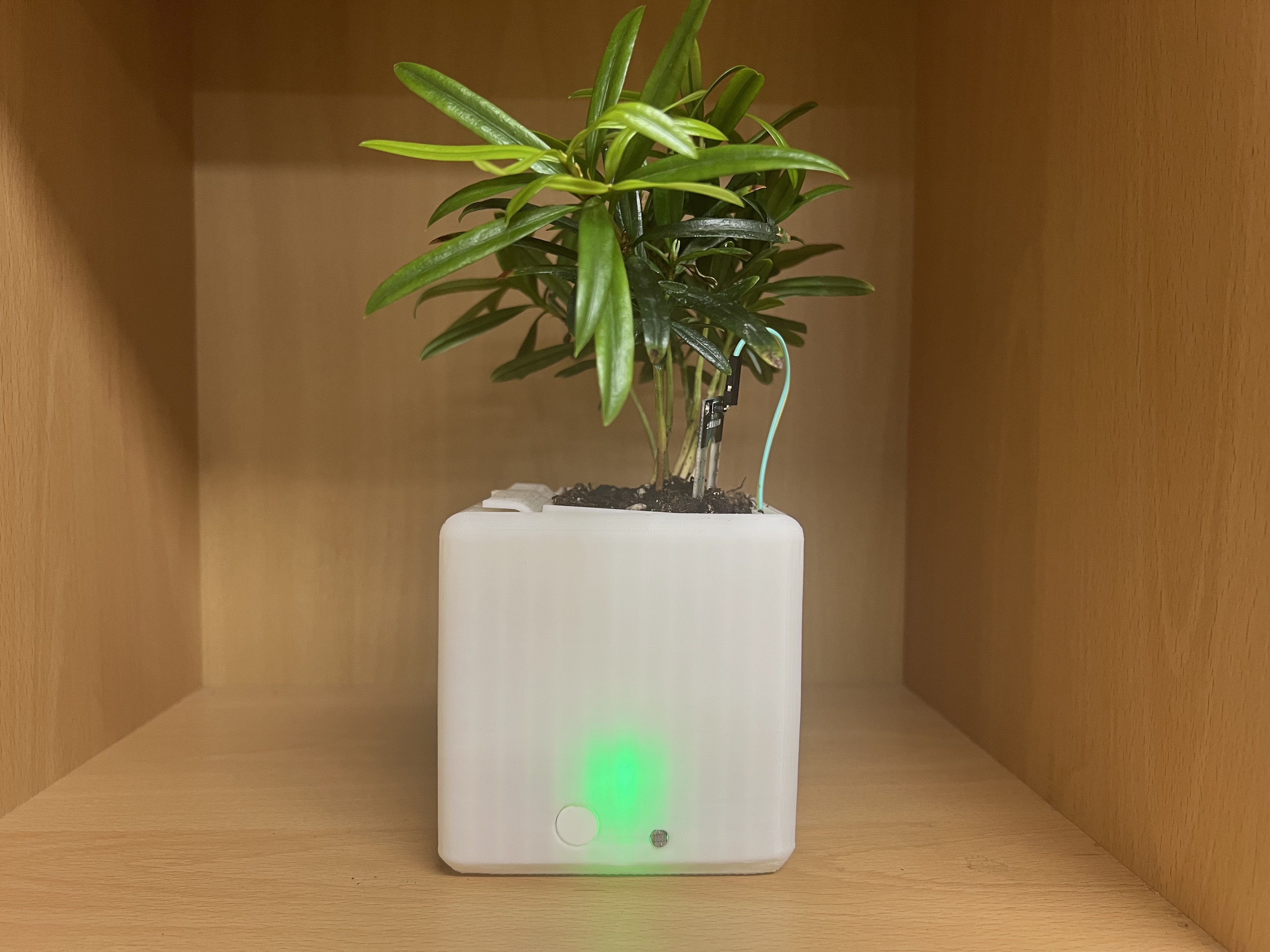
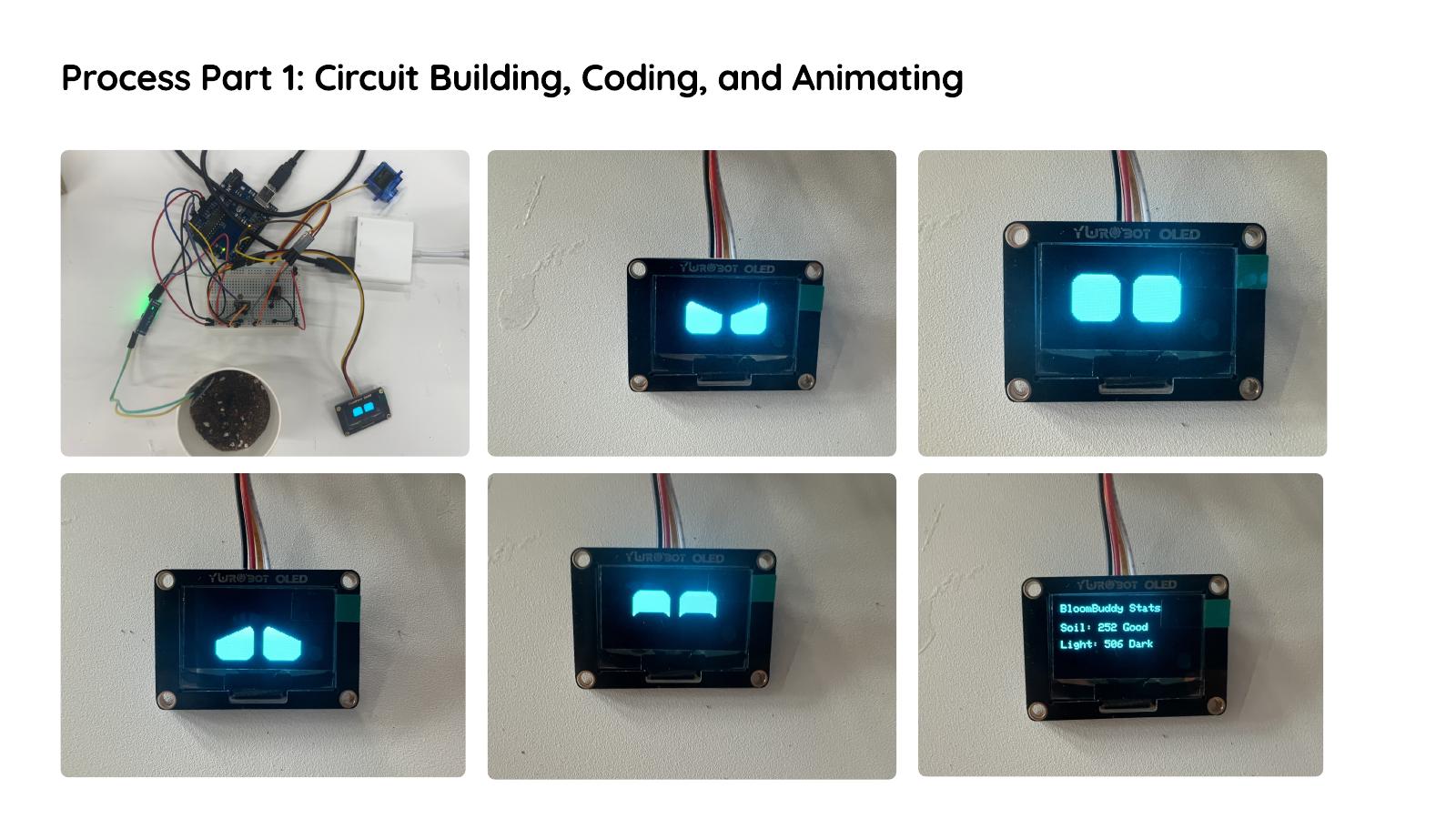
At its core is an Arduino Nano connected to a soil moisture sensor, a photoresistor light sensor, an OLED display, a tactile button, and a Bluetooth module. Sensors continuously monitor moisture and light, and the system shows facial expressions and animations that reflect the plant's state: happy in ideal conditions, angry when too dry or too wet, sleepy in the dark.
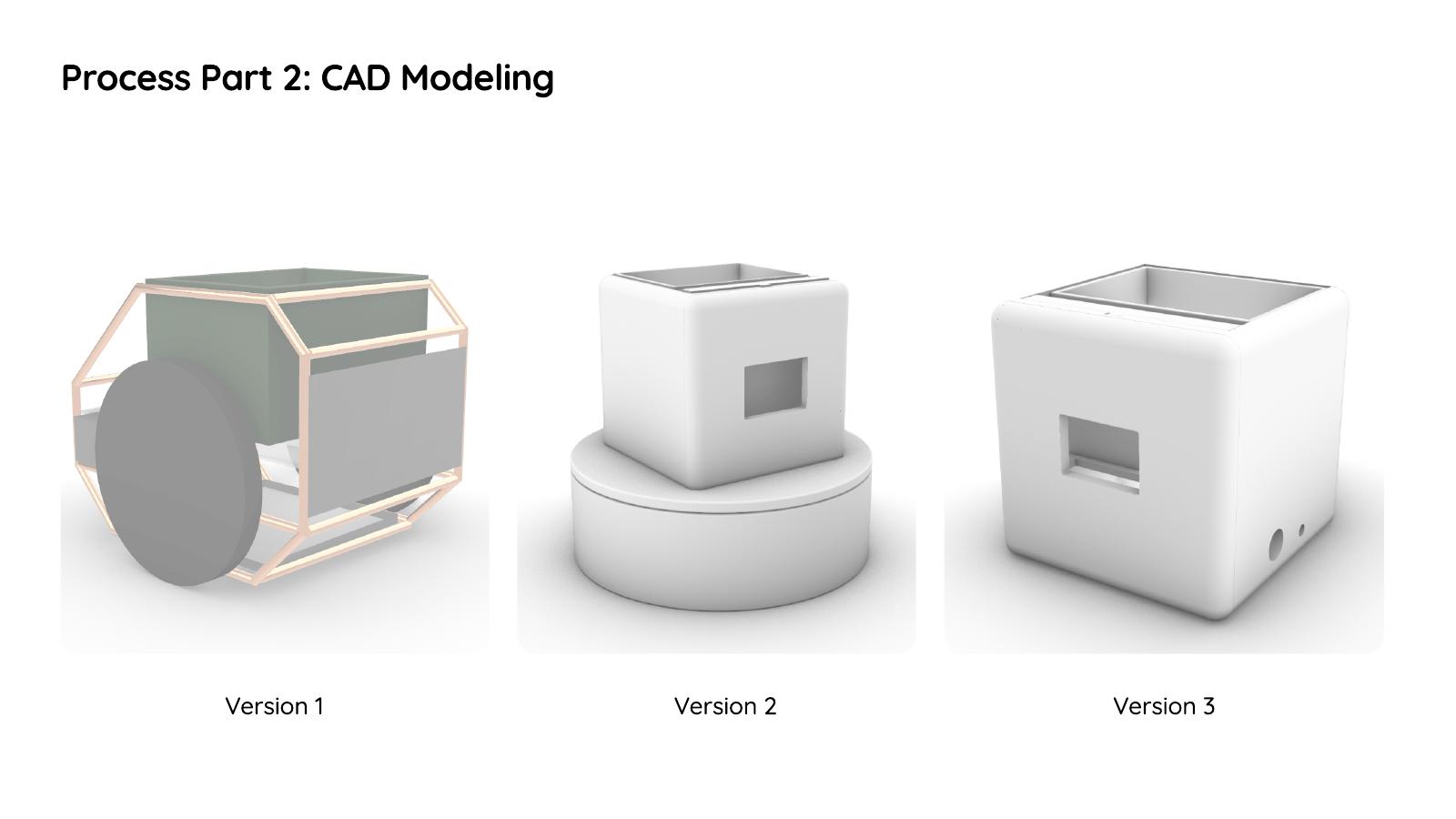
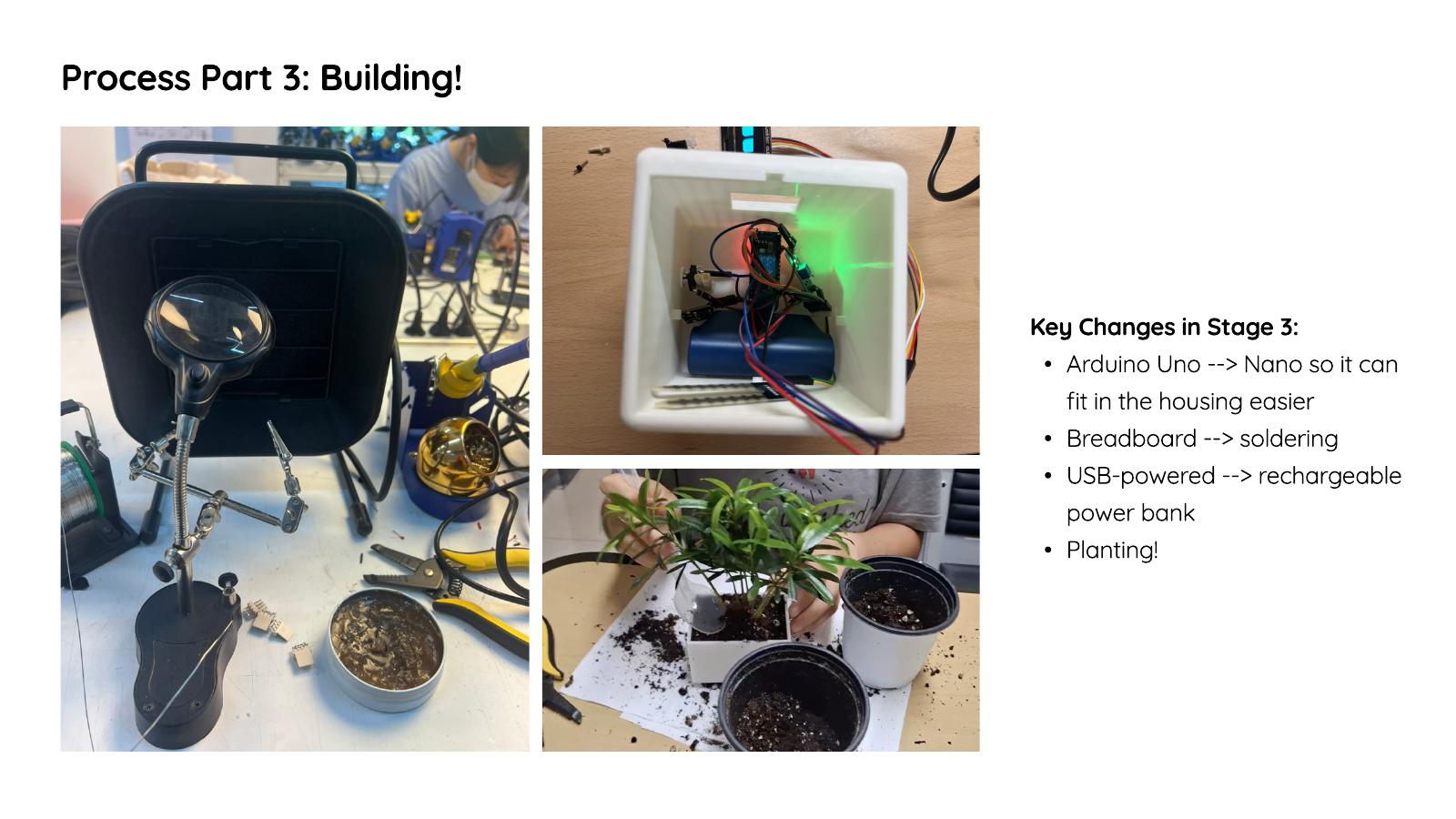
I designed the 3D-printed enclosure in Rhino. The outer shell protects the electronics in a lower compartment separated from the plant area by a removable floor, a removable drip tray catches excess water and dirt, and the inner pot has drainage holes to prevent overwatering and mold. A rechargeable USB power bank powers the system, connections are soldered, and my code handles sensor calibration, environmental logic, button interactions, and animations.
Process and development
I began with research into future housing trends, the benefits of houseplants, and human–plant relationships. Early sketches explored ways of visualizing plant health beyond a traditional smart planter.
Development started with building and testing the circuit on an Arduino Uno. Once the core behavior worked, I moved to the physical form through CAD and 3D printing, testing multiple enclosure iterations to balance usability, component organization, aesthetics, and feasibility. Earlier versions included wheels, a rotating display table, and an open-wireframe style.
During prototyping I replaced the original motion-based interaction with Bluetooth connectivity and a smaller shell, which improved the look, quality, and future potential of the project. The circuit was later rebuilt around an Arduino Nano with no breadboard so it would fit the housing.
How it differs
Most smart plant products focus on automation or data monitoring. Bloom Buddy emphasizes emotional engagement instead of replacing the user's role: it communicates needs through expressive animation that encourages observation and interaction. The touch button reinforces this — touching your plant doesn't practically help it grow, but the positive feedback makes you notice and remember it more often.
Each pot includes a Bluetooth module, opening the possibility of social interaction between multiple Bloom Buddy devices, and eventually a companion mobile app with more personalized insights.
Final experience
Next project
Apple Wallet Redesign →